
Addressing Issues combined with Module Count and Scab Wiring Issues/Concerns

-
AuthorPosts
-
 Pyro Pros
Joined: Aug 2025 Posts: 8 Location: Hugoton, Kansas, United States  Newcomer
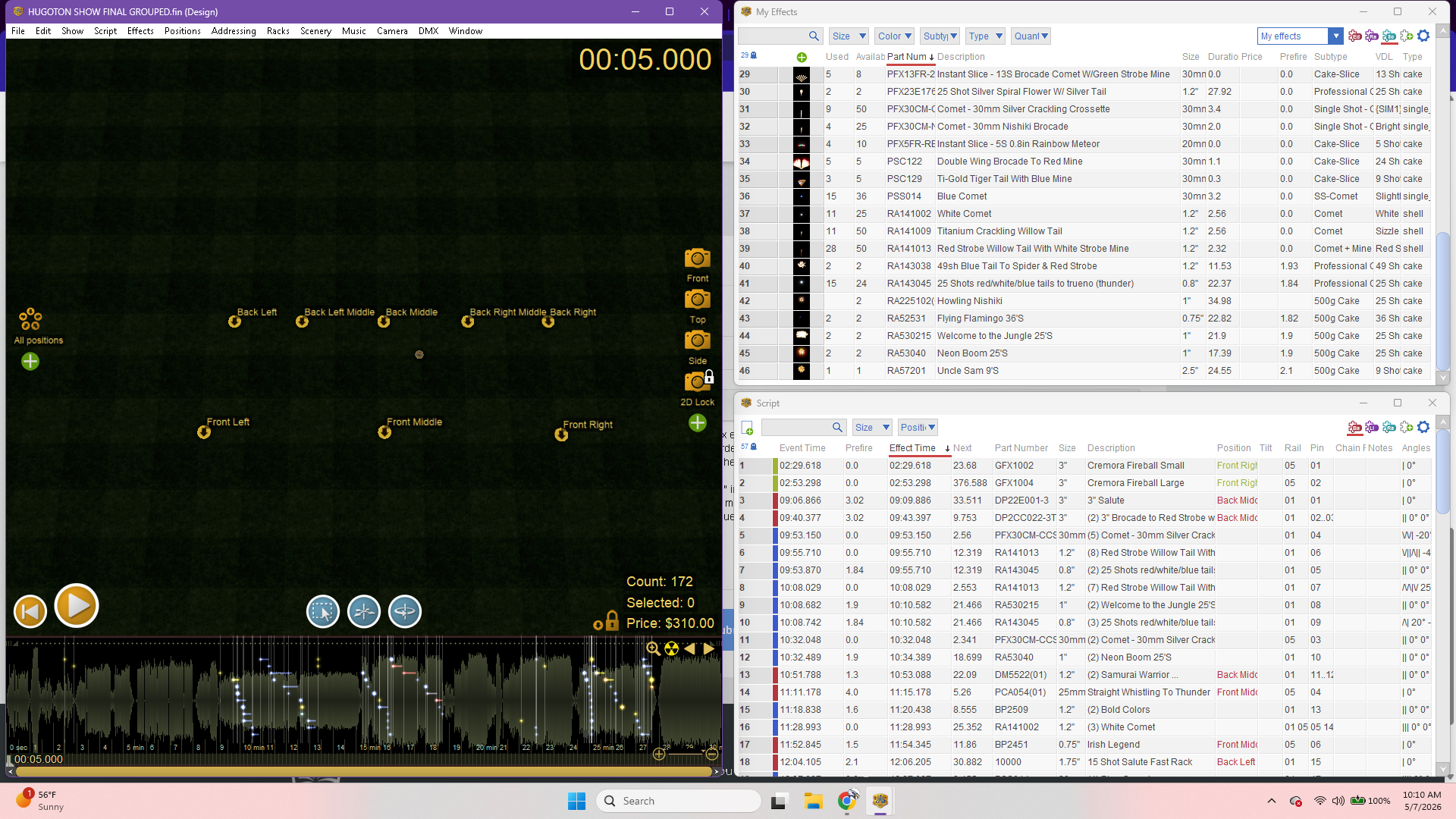
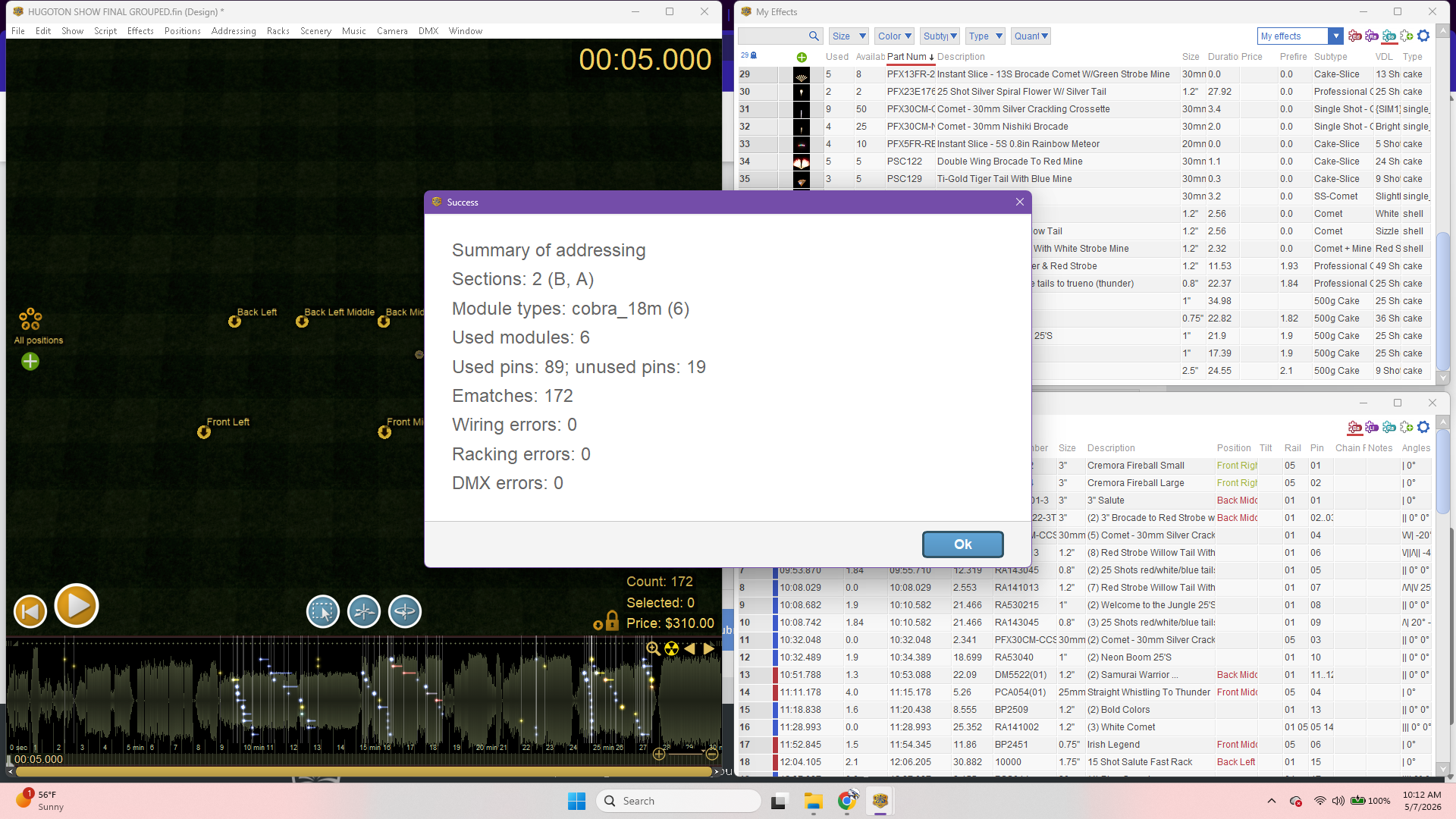
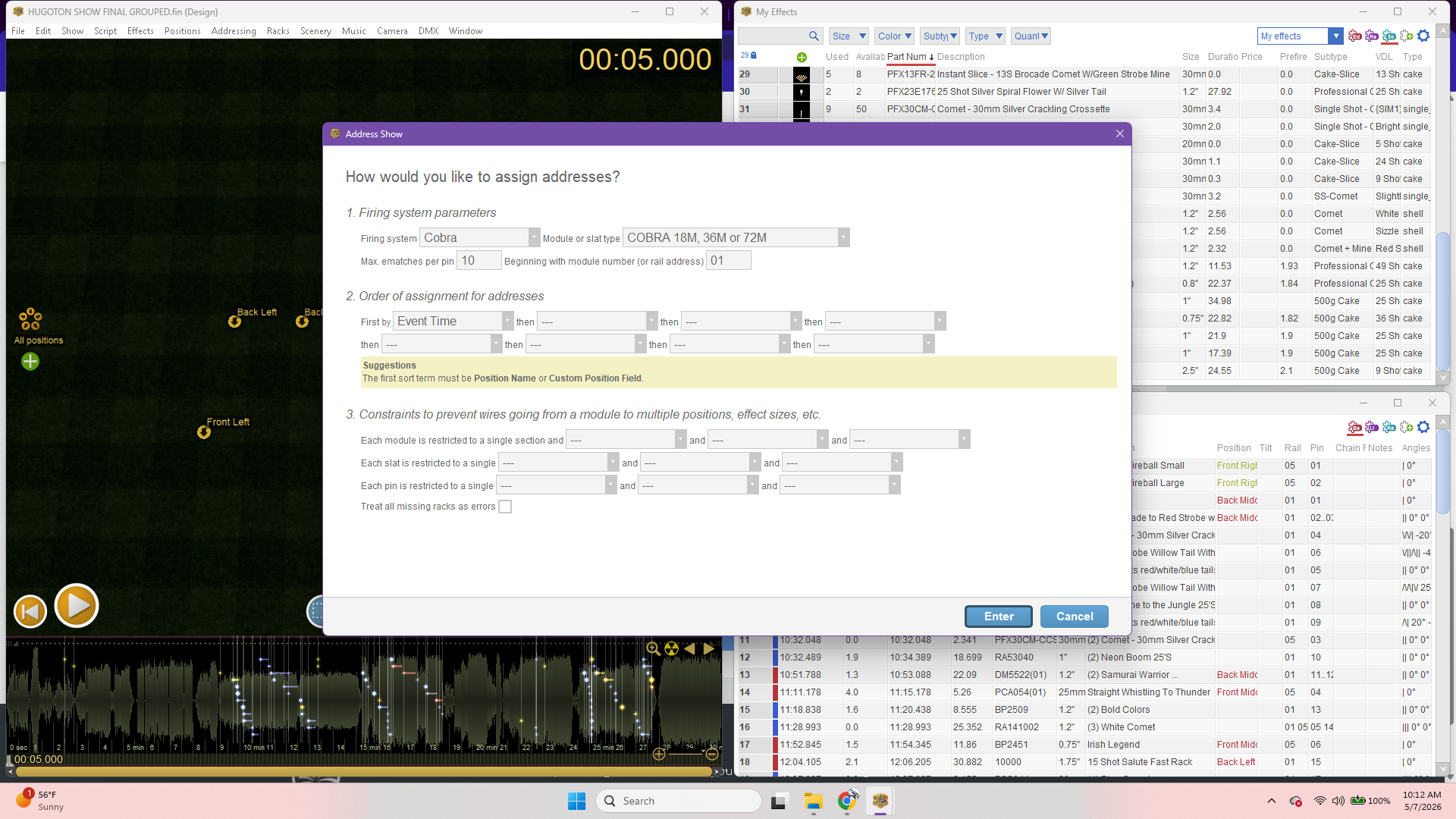
So as I address my show, starting with “position name” in section #2 and using 10 max e-matches. The addressing results say that I need 10 modules for my current show. All I have is 8 modules to use. 2 – 36M LiPo and 4 -18M (9V) Cobra modules. What order and/or constraints should I use to get the advised 10 modules below 8
modules? I say below 8 because I still have plenty of fireworks to add to my script before its finished,
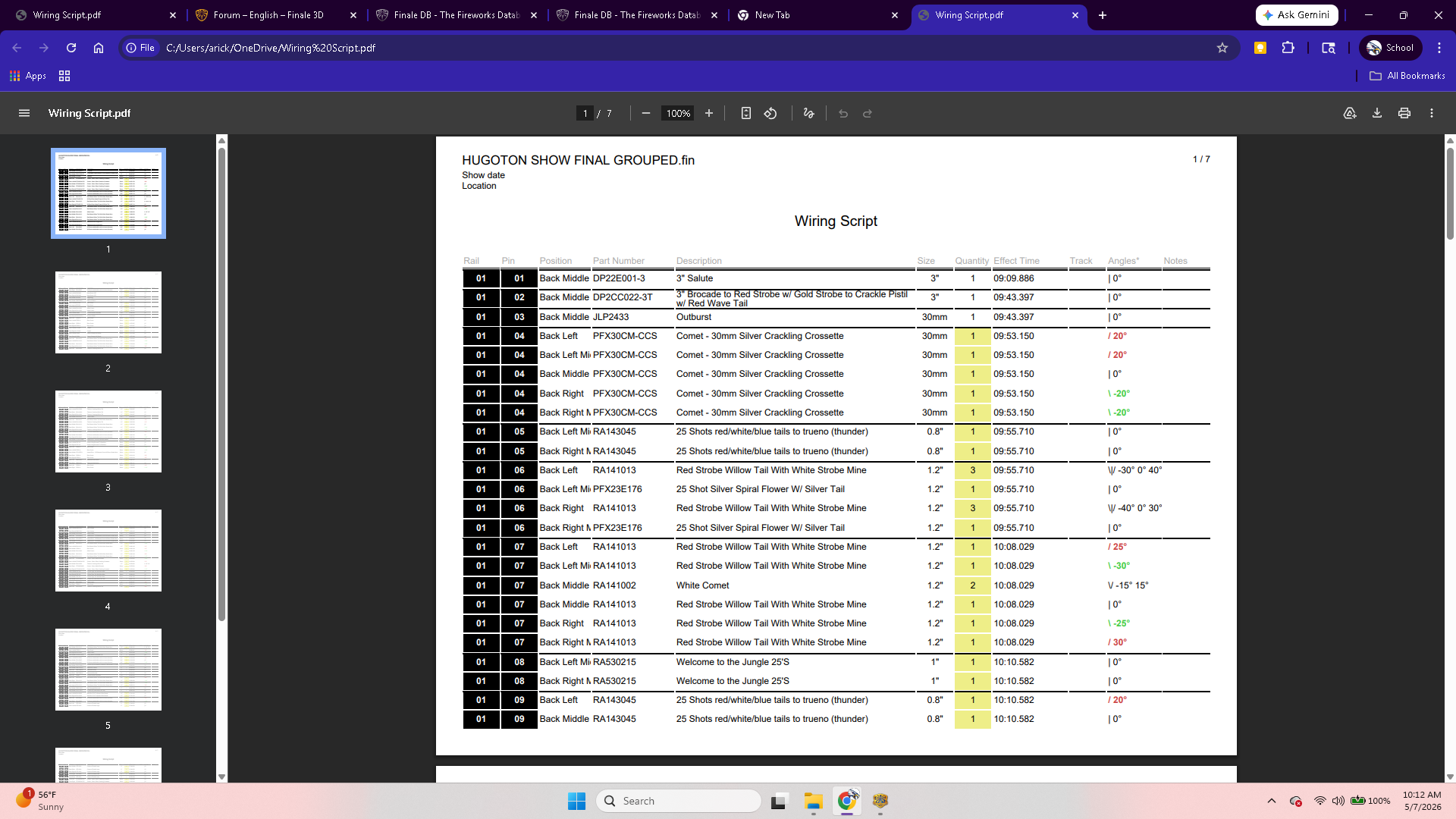
Currently, I addressed the show in section #2 of the addressing with just “event time” as after watching help videos it was advised to remove ANY positions marked within the “assignments or constraints” sections. in the “order of assignment” and have sectioned my 8 positions to A and B. (A being the front 3 modules/positions and B being the back 5 modules/positions.). This made the summary of my addressing down to 6 modules but upon looking at my wiring script report, if I go this direction, I will be running into potential series wiring issues and will be running tons of scab wire which I’d rather not do. I have grouped all of my effects that sharded the same times as well. Just lookin for some proper guidance as I am sure I am making this much harder than it needs to be .I honestly thought that the process of scripting with Finale 3D would be somewhat to that of Cobra Show Creator which in my opinion is very user friendly and simplistic minus the visual display. I enjoy learning what Finale 3D has to offer but I have a large shoot to put on July 3 and I just need to get this shows script completed and addressed properly with the modules I have in my possession. Obviously, I just have not learned the language of Finale 3D yet. Thank you for your time everyone and have a super day!
-Arick Miller
Hugoton, Kansas
 DrewFinale
Joined: Dec 2019 Posts: 803 Location: United States  Charcoal
Hi Arick, thanks for posting, you’re in the right place!
The Address Show dialog is broken down into three parts. The first part is the firing system selection, which I think you’ve pretty much got under control. The second part is the order of assignment for addresses. This is where you tell Finale 3D the order in which it should assign rail (i.e., module) and pin (i.e., cue) numbers to the fireworks in your show. Making the right choices here can be a huge factor in optimizing your show setup, but when it comes to how many modules are needed, the third part of the Address Show dialog is the place to focus our attention.
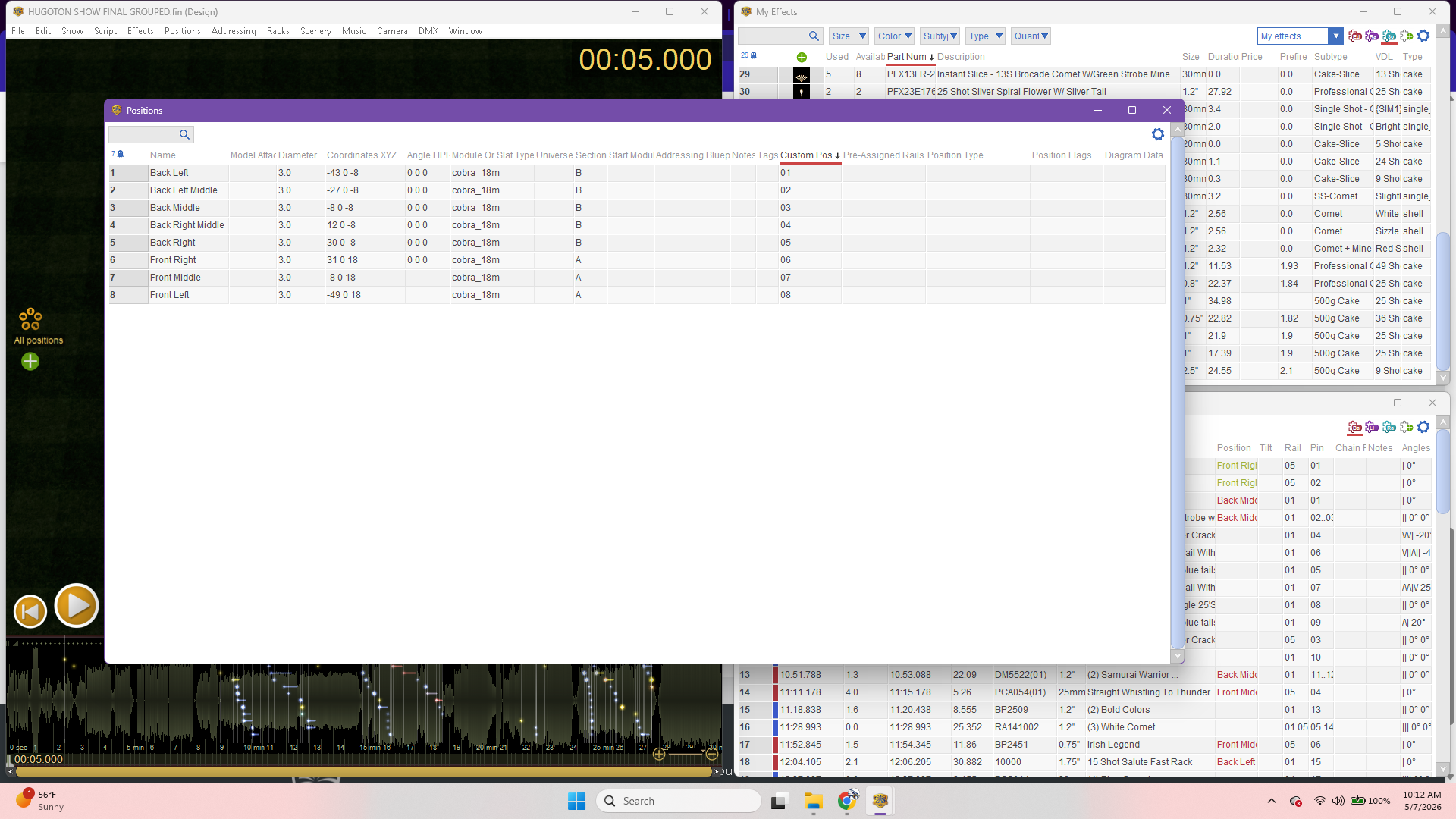
I see your show has 8 positions. You mentioned you have 8 modules. How would you like the modules laid out across your positions? For example, would you like to have 1 module per position, or would you like some modules to be shared between positions?
You did a great job of setting up sections, but then you said the results weren’t good on account of the scab wiring that would be required. A “section” is something you configure in Finale 3D to allow a module to be shared between two or more positions. But if you don’t plan to use slats or scab wire, then module sharing really isn’t possible, and modules should be restricted to each position.
Tell us a bit more about how you’d like the addressing done, or even how you would do it in CSC, and we can help you achieve a great end result in Finale 3D.
Pyro ProsJoined: Aug 2025 Posts: 8 Location: Hugoton, Kansas, United States NewcomerWhen I was at Elevate in Indiana this year, I enrolled in boot camp and we did a show with 73 fireworks and 3-4 quick plug modules I believe. The reason I bring this up is that we had no scab wiring. It was all just put the wires in the cues. How that method was achieved was not taught to us in the 3 hour show design process. We had 3 positions for our boot camp show with a module at each. I’d love for it to be like that. Simplified.
But on my show I’m working on now when I address it with “positions” it is constantly showing that I am needing 10 modules and I don’t understand why. What I have sent is not completed and I still have a good number of fireworks I have ordered to enter into my script but have been waiting for simulations to complete my show. My worry is that when Im done with designing my script, is it going to say I need more than 10 modules to wire this show up simply? I just want it streamlined and simplified as much as possible as the individuals who are helping me set it up are amateurs at best knowing even less than I currently do. I know I can’t afford any more modules so my question is I guess, is the show I’ve designed this far have to many fireworks in it for the amount of modules I have in my possession? And if not, can you show me how you would do it if you were doing it? I’m stuck without a clue on what to do. The city where I live hired me to put this on and I’m starting to feel the pressure of it not displaying correctly with my current understanding of finale 3d.
DrewFinaleJoined: Dec 2019 Posts: 803 Location: United States CharcoalHi Arick, for the Pyro Boot Camp shows at Elevate, each module was restricted to a position (no module sharing), this is why no scab wire was needed. The reason shows worked out was because each team had more than enough modules for the amount of fireworks provided.
If you prefer not to use scab wire for your show, then taking the same approach (restricting modules to positions) is the way to go.
Without running wires from position to position, the number of modules is based on the number of events at each position and the number of e-matches you allow on each pin (i.e., “cue”).
The reason your show currently requires 10 modules is a function of the amount of fireworks you have at each position. If you have 8 position with fireworks at every position, that would require a minimum of 8 modules (1 per position). If a couple of your positions have more than 18 items firing at different times, then those positions require a second module, and that’s how you go from 8 to 10 modules. You can conserve cues by allowing multiple e-matches on a pin, but that only helps when multiple items are firing at the same time from the same position. If there are more than 18 different firing times at a position, then the position will need a second module. There’s no other option.
To more easily see what you have at each position, try enabling the module and pin count options in Show > Show settings. These will append counts directly to the position names in the main Design window. Instructions here: https://finale3d.com/documentation/pin-counts
Bottom line, if you have 8 positions and 8 Cobra modules, you can’t have more than 18 cues (unique event times) at a position or you will need more modules.
Pyro ProsJoined: Aug 2025 Posts: 8 Location: Hugoton, Kansas, United States NewcomerThat make sense. So with sharing cues, how do the Cobra 18m’s 9v batteries hold up? I see information saying in regards to how many fireworks can be wired up in series and how that changes if you are to use the Lipo batteries in stead of 9v batteries. If I’m just using 9v, and it’s a warm weather shoot, how many fireworks can I shoot safely from one cue?
DrewFinaleJoined: Dec 2019 Posts: 803 Location: United States CharcoalThat’s a great question. Cobra modules are certainly capable of firing multiple e-matches per cue. The exact number depends on a few factures including the type of e-match, wire length, etc. For the best guidance on this, the Cobra support team is your best resource.
-
AuthorPosts
Please login to reply to this topic.