
Create Effect Question

-
AuthorPosts
-
 pyro52634673
Joined: Apr 2024 Posts: 38 Location: Hong Kong  Newcomer
https://drive.google.com/file/d/1u2aQobcmNifrdDFGwLIjAQMlhqR3SsSW/view?usp=sharing
May I know how to create an effect like this? Moreover, I want to know how to use json custom in finale.
pyro52634673Joined: Apr 2024 Posts: 38 Location: Hong Kong Newcomer DrewFinale
Joined: Dec 2019 Posts: 803 Location: United States  Charcoal
Hi — great question!
In Finale 3D, a Custom JSON break pattern is just a list of directions that tell each star which way to travel when the shell explodes. You copy and paste the JSON directly into the Custom JSON field in the effect editor.
Basic format
Each star is written like this:
[x, y, z, 0]
x, y, z = direction the star travels
the last value is normally 0The full pattern must be wrapped like this:
[[[x,y,z,0],[x,y,z,0],[x,y,z,0]]]
Simple example
Copy and paste this into the Custom JSON field:
[[[0,0,1,0],[0.5,0,0.866,0],[-0.5,0,0.866,0],[0,0.5,0.866,0],[0,-0.5,0.866,0]]]
This creates a simple pattern with 5 stars.
How to think about it
Imagine you are standing in the center of the shell.
Each [x,y,z] is an arrow pointing outward.[0,0,1] = straight up
[1,0,0] = to the right
[0,1,0] = forwardMost patterns use normalized vectors (length ≈ 1), so all stars travel evenly.
About using AI
AI can help generate patterns, but only if the instructions are very specific.
A vague prompt like “make a ring” usually will not work.If you want to try, use something like this:
Generate Finale 3D Custom JSON coordinates.
Output must be valid JSON formatted exactly like [[[…]]].
Each star must be [x,y,z,0].
Use normalized vectors.
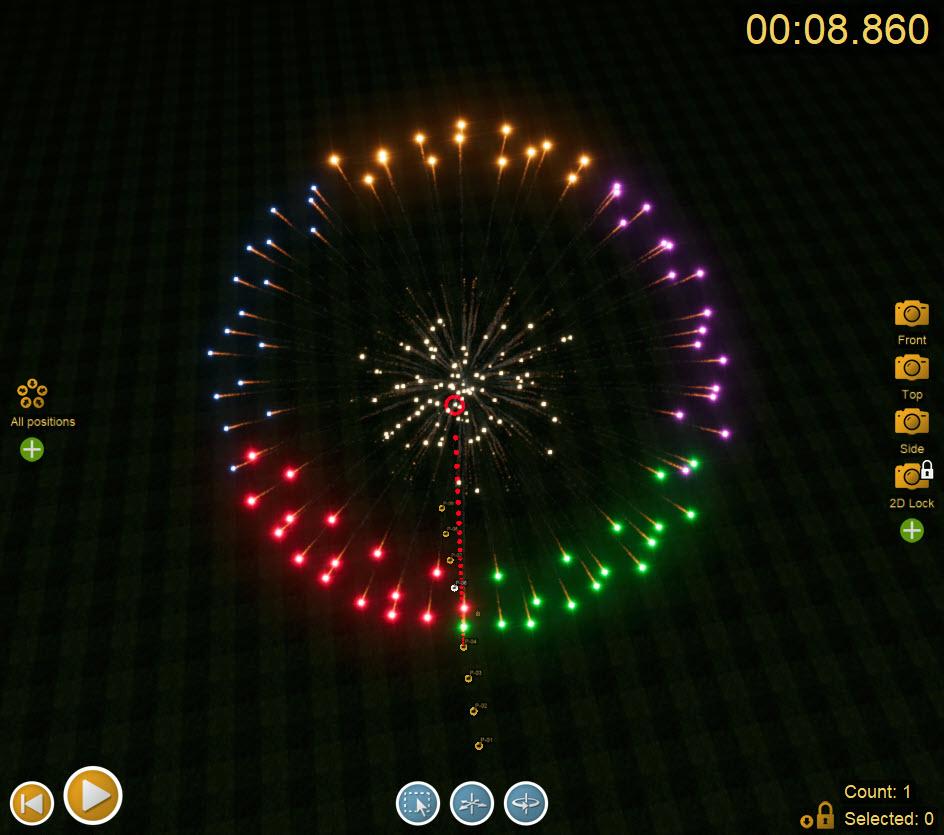
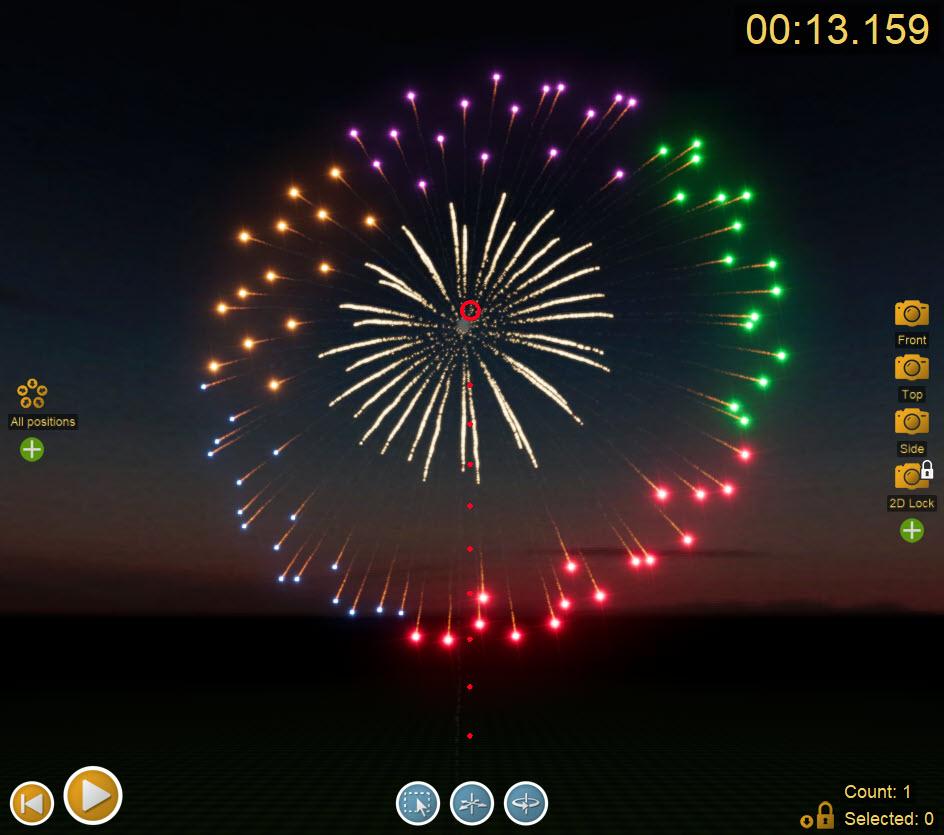
Create 20 stars evenly spaced in a flat ring in the XY plane.The effect in your video is fairly complex, especially due to the color changes. To create this effect, it’s easiest to create five separate JSON break patterns, one for each 1/5th of the ring or “band” pattern. Creating the segments as separate break patterns allows you to individually control the color changes for each segment.
Here is a link you can use to download a Finale 3D show file containing an effect like the one in your video: https://finale3d.com/wp-content/uploads/2026/04/6in-Five-Segment-Color-Changing-Band-Shell.fin
You can open this show in Finale 3D and open the effect in the effect editor to examine its structure.
pyro52634673Joined: Apr 2024 Posts: 38 Location: Hong Kong NewcomerDrewFinaleJoined: Dec 2019 Posts: 803 Location: United States CharcoalYou’re welcome! I would love to see the new effects you create using custom JSON break patterns. You can share your effects on Finale DB (finaledb.com).
Sharing is super easy, just go to My Effects on Finale DB, click the three dots icon for an effect and share it as a community effect.
Here’s another one of my personal effects that uses a custom JSON break pattern: https://finaledb.com/product/pahoyc0fska1qw8
BruceJoined: Mar 2024 Posts: 1 Location: Macao NewcomerDrewFinaleJoined: Dec 2019 Posts: 803 Location: United States CharcoalHere’s another example of a five-segmented band shell. This one has a gold to white strobe double-stacked ring pistil.
Get the effect on Finale DB here: https://finaledb.com/product/pfuso2dzl0o53nd
-
AuthorPosts
Please login to reply to this topic.