
Single shot mines won’t load into Racks

-
AuthorPosts
-
 Jonathan S.
Joined: Mar 2021 Posts: 14 Location: Alberta, Canada  Newcomer
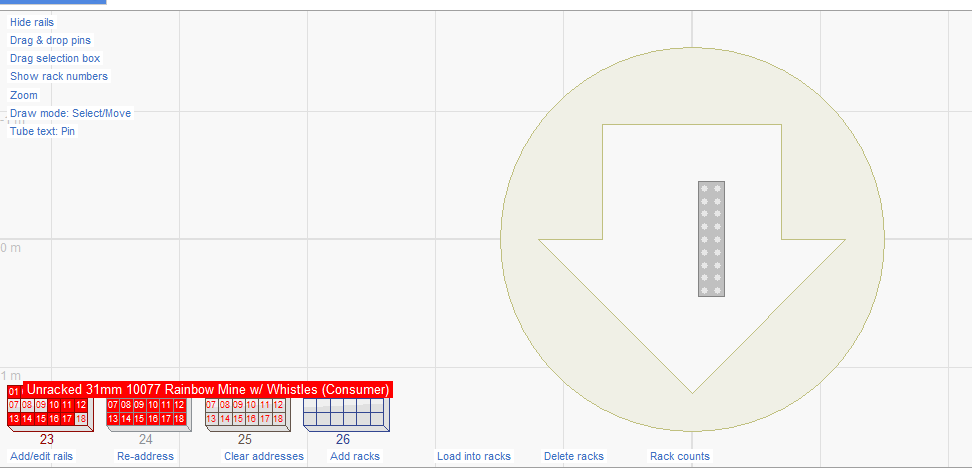
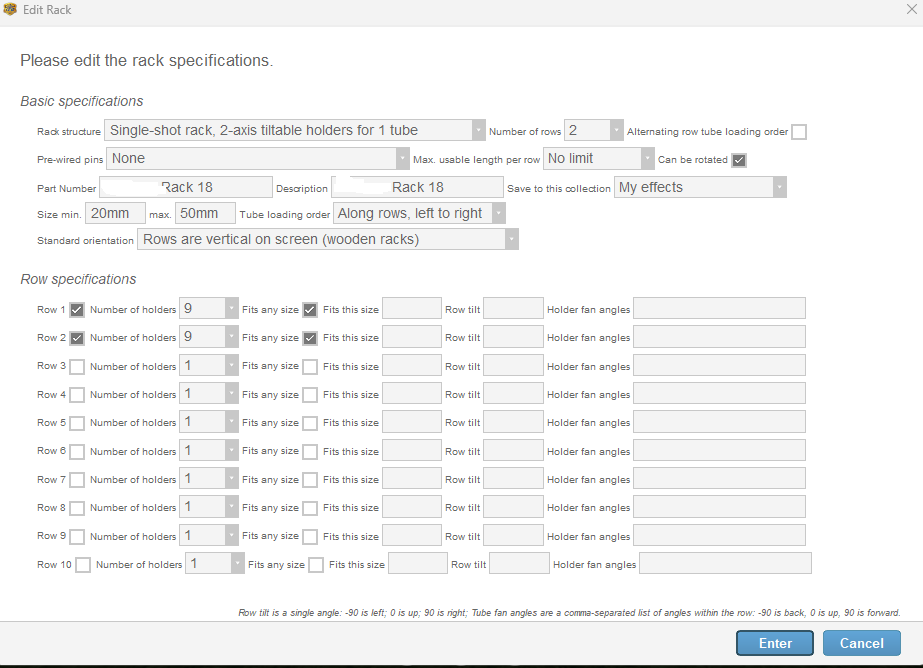
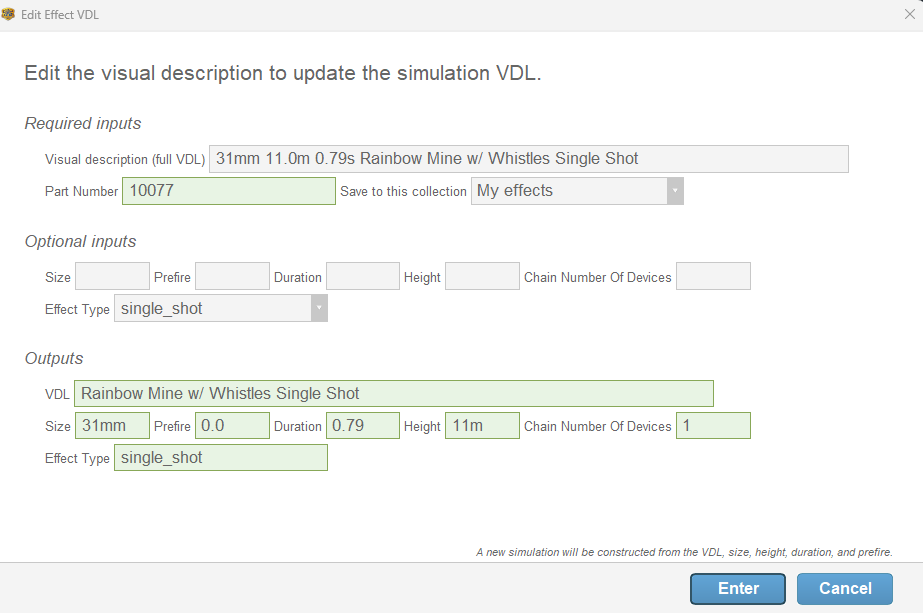
Hi, I have certain products that I can’t get to load into my custom rack and I’m not sure why. I seem to been under the parameters for the rack which is between 20mm (min) and 50mm (max). I’ve included screenshots of the item properties panel as well as for the rack. I hope it is just something obvious that I’m missing but I’ve changed parameters around and it doesn’t seem to resolve the issue of auto loading when I click “load into racks”. I can drag them manually but they stay red when I do that.
 DrewFinale
Joined: Dec 2019 Posts: 738 Location: United States  Charcoal
Hi Jonathan S., happy to help. Effects and racks are matched based on size, type, and rack type. Additionally, an effect’s angle must also be compatible with the rack.
Looking at your screenshots, size and type don’t appear to be the issue. And given the rack structure you’ve selected, angle also seems unlikely to be the problem. The screenshots don’t show the Rack Type column in the effects and script windows, so rack type could potentially be the issue.
Fortunately, you don’t have to guess. Finale 3D has a feature that will tell you exactly why the effect can’t be loaded. Just drag & drop an effect into the rack then right click on the effect in the rack and select “Why is this tube red?”
Let us know what you find!
-
AuthorPosts
Please login to reply to this topic.