
Reflective water surfaces in imported 3D models — is this possible?

-
AuthorPosts
-
 Kategorie 4
Joined: Jun 2021 Posts: 10 Location: Fellbach, Hölderlinstraße 1  Charcoal
I’m working with an imported GLB model of a castle and its park. The site has five ponds at different elevations, and I would like their surfaces to reflect both the scenery and the fireworks.
I tested several materials with different metallic, roughness and transparency settings. Transparency works, but I haven’t been able to get reflections of the surrounding objects on the imported surfaces. Finale’s native water, however, reflects the scenery correctly.
Is there a way to:
Enable reflections on individual surfaces within an imported 3D model?
Assign Finale’s native water effect to those surfaces, perhaps through a material name or import setting?
Alternatively, create separate native water areas at different elevations, matching each pond’s outline?The different water levels are important, so placing all five ponds on one horizontal plane would not work for this site.
Any advice on supported materials, settings or a suitable workaround would be greatly appreciated.
Thank you!
 DrewFinale
Joined: Dec 2019 Posts: 803 Location: United States CharcoalThank you for testing this so carefully, and for describing exactly what you tried. Your results match the way Finale 3D works today.
The answer to all three of your questions comes down to one limitation. Water can currently only be drawn in a single plane at ground level (y=0). It cannot be drawn at any elevation, it cannot be drawn at two different elevations, and it cannot be drawn on a model.
That rules out your third option, placing a separate water area to match each pond. It is also the reason for the first two. The reflections you are seeing come from Finale 3D’s water surface rather than from a material property, so right now, there is no way to enable them on an individual surface inside an imported model, and there is no material name or import setting that maps a GLB surface onto Finale 3D’s water. The reflection controls in File > Render settings apply to the whole scene, and there is no per-surface equivalent.
Sorry, I know this isn’t the answer you were hoping for, but I’ve added your request to our feature request list with a vote for you, and I hope to improve the water functionality in the future.
Kategorie 4Joined: Jun 2021 Posts: 10 Location: Fellbach, Hölderlinstraße 1 CharcoalHi Drew,
thank you for the clear explanation and for adding this to the feature request list.
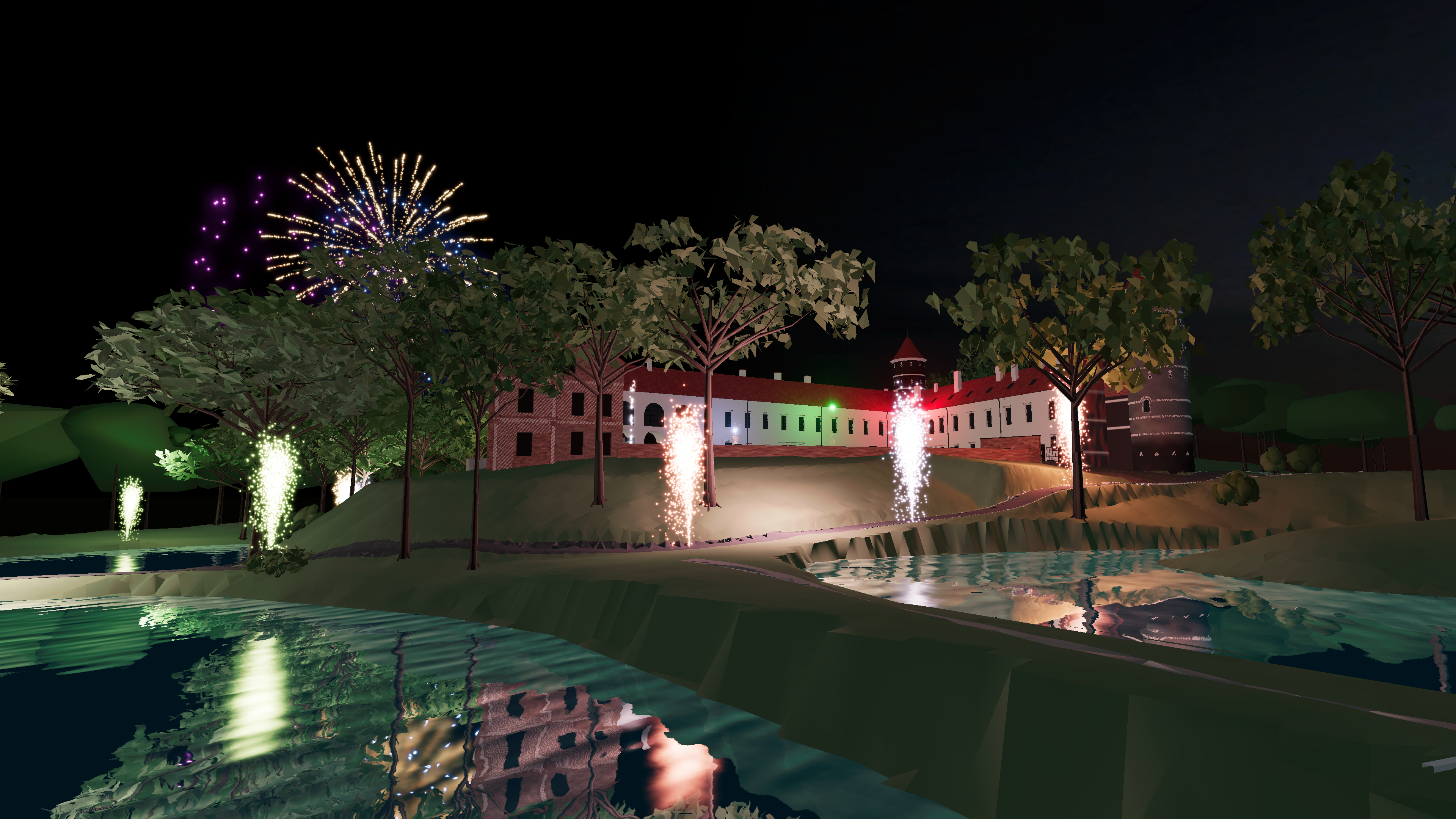
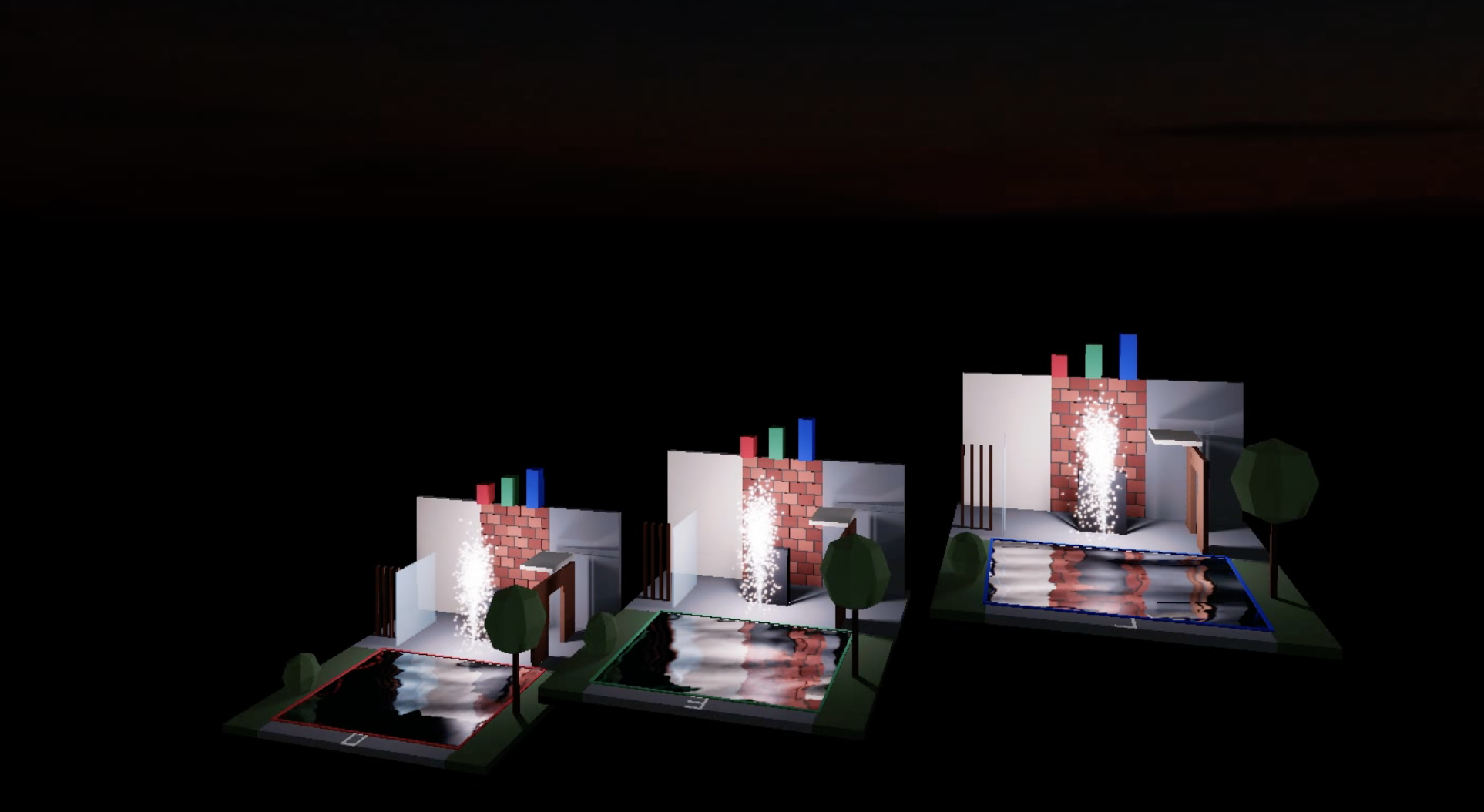
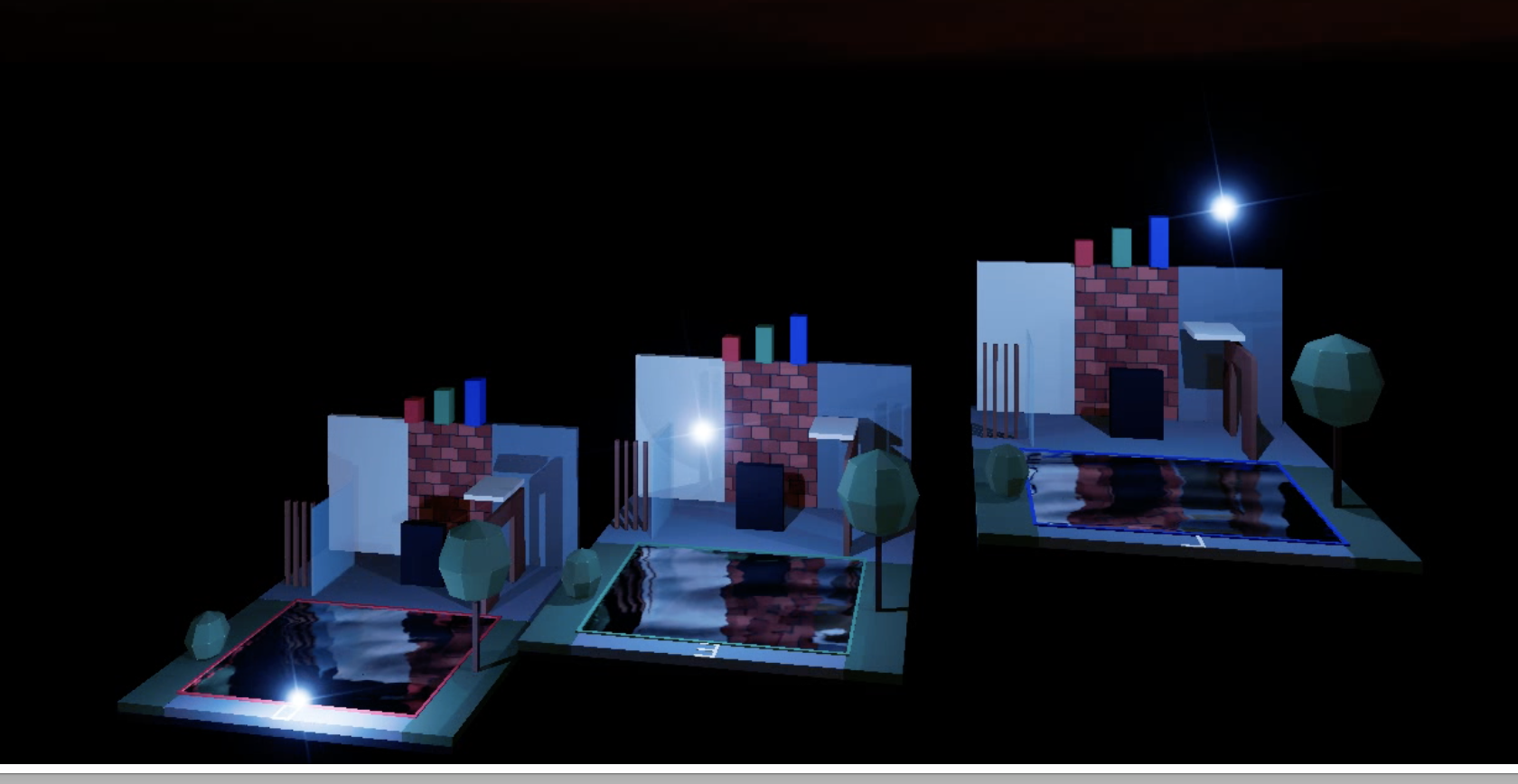
Since my original post, I have been experimenting with an AI-assisted graphics extension in a separate local test copy of Finale 3D. The prototype now shows scenery and fireworks reflected on several horizontal surfaces at different elevations. I tested three levels at 0, 3 and 7 metres, and also the five ponds in my castle model.
I also experimented with fireworks illuminating surrounding materials, including walls, ground and vegetation, with approximate soft shadows. Bright moving stars are treated individually, while sparks are grouped into representative light sources to reduce processing cost. The shadows currently rely on simplified, predefined geometry.
For a native implementation, one possible approach would be to mark selected imported surfaces as reflective, group surfaces sharing the same plane, and render a separate reflection view for each plane. The reflection could then be restricted to the actual mesh outline. Correct depth handling and drawing order are essential so that fireworks remain visible in front of the surface.
This is an experimental prototype, not a supported material setting or a feature enabled by the GLB file alone. However, the results look promising. Would this approach be useful to your team when considering future reflection and lighting features?
-
AuthorPosts
Please login to reply to this topic.